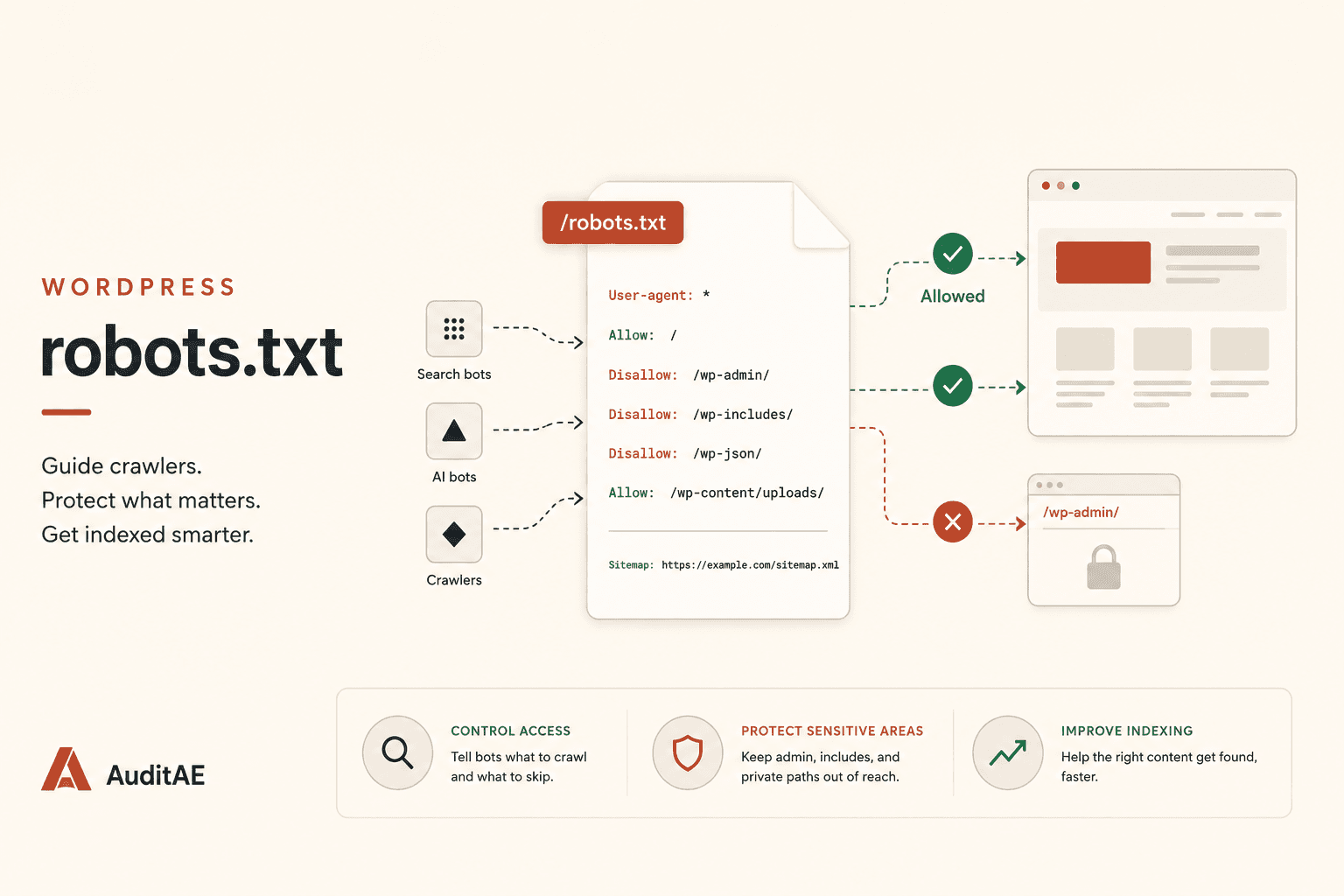
How to Track AI Bots (GPTBot, ClaudeBot, PerplexityBot) on Your WordPress Site and Boost Your SEO
GPTBot, ClaudeBot, and PerplexityBot are crawling WordPress sites every day, and Google Search Console can't see any of it. Here's how to log every AI crawler hit, read the data, and use it to ship pages AI engines actually cite.
On this page· 7 sections
If you publish on WordPress and you care about AI search, you have a measurement gap. Google Search Console will tell you Googlebot's behavior to the millisecond. It will tell you nothing about GPTBot, ClaudeBot, PerplexityBot, OAI-SearchBot, or any of the roughly 30 AI crawlers that have started visiting your pages.
This post walks through which bots to watch for, how to log them on a WordPress site in about three minutes, and what to actually do with the data once you have it. The free AuditAE WordPress plugin is the fastest path to a working dashboard, so most of the implementation steps assume you're using it. If you'd rather roll your own, the principles still apply.
Understanding AI Bots and Their Importance
What Are AI Bots?
AI bots are automated crawlers operated by AI companies (OpenAI, Anthropic, Perplexity, Google, Apple, ByteDance, Meta, Amazon, and others) that fetch web pages for one of two purposes. The first is training: pulling content into a corpus that gets used to train or fine-tune the next generation of large language model. The second is retrieval at inference time: a user asks ChatGPT or Perplexity a question, the assistant fetches a handful of live pages to ground its answer, and your page might be one of them.
These two purposes are run by different user agents. GPTBot trains. OAI-SearchBot crawls for ChatGPT search. ChatGPT-User fetches a page when a user asks ChatGPT to open it. Conflating them costs you the ability to tell whether you're being trained on, being cited live, or both.
Why Track AI Bots?
Three reasons, in priority order.
- You can't optimize what you can't see. If Claude-SearchBot has visited your "pricing" page sixty times this month but never touched your "case studies" page, that tells you something concrete about what Claude is likely to ground answers on. Your internal linking and sitemap submission decisions should respond to that.
- Gone-quiet bots are an early warning. If GPTBot was hitting daily and then stopped two weeks ago, something on your site changed (a robots.txt edit, a CDN rule, a Cloudflare bot-fight setting, a stale sitemap). You want to know before the citation drop shows up in your AEO audits. The WordPress SEO audit playbook covers the broader 30-minute monthly cadence this bot check slots into.
- You need a defensible baseline for your AEO strategy. When a stakeholder asks "are we even being crawled by ChatGPT?" the answer should be a number on a dashboard, not a guess.
Overview of Popular AI Bots
A short field guide to the ones that matter, with the token you'll see in your logs or use in robots.txt:
| Bot | Operator | Purpose |
|---|---|---|
GPTBot | OpenAI | Training |
OAI-SearchBot | OpenAI | ChatGPT search indexing |
ChatGPT-User | OpenAI | On-demand user fetch |
ClaudeBot | Anthropic | Training |
Claude-User | Anthropic | On-demand user fetch |
Claude-SearchBot | Anthropic | Search indexing |
Claude-Web | Anthropic | Legacy (no longer documented) |
anthropic-ai | Anthropic | Legacy (no longer documented) |
PerplexityBot | Perplexity | Indexing for Sonar |
Perplexity-User | Perplexity | On-demand user fetch |
Google-Extended | robots.txt token for Gemini training and grounding (no crawler of its own) | |
Applebot-Extended | Apple | robots.txt token for Apple model training (Applebot does the crawling) |
Bytespider | ByteDance | TikTok / Doubao training |
CCBot | Common Crawl | Public training corpus |
Meta-ExternalAgent | Meta | Llama training |
Amazonbot | Amazon | Alexa / Rufus |
Bingbot | Microsoft | Bing index behind Copilot, and one of ChatGPT search's sources |
There are about a dozen more niche ones (DuckAssistBot, YouBot, MistralAI-User, AI2Bot, Meta-ExternalFetcher, FacebookBot, cohere-ai, Diffbot, TimpiBot, iaskspider, PetalBot, the two Awario bots). Our AI crawler directory profiles every one of them, with user agents, verification IPs, and a block-or-allow call per bot. The free AuditAE crawler tracker logs about 30 of them out of the box, every one that actually sends requests. Googlebot is deliberately excluded because you already get that in Google Search Console.
Setting Up Bot Detection on WordPress
Choosing the Right Plugin
For a generalist SEO plugin, the question to ask is: does it log AI crawlers as a separate category, or does it lump them in with general "bot traffic"? Most security and analytics plugins are tuned to flag scrapers and brute-forcers. They'll catch GPTBot in their net, but they won't tell you it's GPTBot, and they won't separate ClaudeBot's training crawl from a real ChatGPT user fetch.
You want a tracker that:
- Identifies each crawler by its canonical name, not a generic "bot" label.
- Stores hits locally on the site (no external service required to read your own access data).
- Adds near-zero overhead on every front-end request, because every front-end request is where the detection has to fire.
- Keeps its storage bounded and removes it cleanly when you uninstall.
The AuditAE WordPress plugin's free AI Crawlers tab is built specifically against this checklist. The detection is a single case-insensitive substring scan against the User-Agent header. Hits go into one small indexed table ({prefix}auditae_crawler_hits), kept to 90 days and capped at 200,000 rows, and dropped on uninstall. There's no telemetry and no external call.
Installation and Configuration
The whole setup is three steps:
- Install the plugin from your WordPress admin (Plugins → Add New, search "AuditAE"), or download the zip from the AuditAE WordPress plugin download page.
- Activate it. The AI crawlers tab is under Settings → AuditAE (the plugin opens on its Score tab).
- Wait. Actively published sites often log their first AI bot hit within a day. On a small site, a visit every few days is normal. Hit volume varies a lot with site size and publishing cadence, so judge it against your own baseline rather than a benchmark.
There's no configuration step. The detection runs on template_redirect, picks up the User-Agent, matches it against the curated signature list, and writes a single row containing hit_at, bot, path, and status. That's the whole API surface for the free tier.
If you want to skip the plugin and instrument this yourself in code, the pattern is the same: hook template_redirect, scan $_SERVER['HTTP_USER_AGENT'] against a list of bot tokens, write a bounded log. Use an indexed custom table with one INSERT per hit, and cap it by age and row count. A single ever-growing option, or an unindexed table, is what gets slow on a busy site.
Implementing Chatbot Analytics
Integrating Chatbot Analytics with WordPress
The phrase "chatbot analytics" gets used two different ways. Sometimes it means analytics about a chatbot you've embedded on your site (Intercom, Drift, your own widget). Here it means the inverse: analytics about chatbot crawlers visiting your site. The integration is identical to what was just covered. A plugin (or a small custom hook) records every AI crawler hit, and you read the resulting log from a dashboard.
What changes is what you do with the data. With a Drift or Intercom widget, you measure conversion rate, session length, sentiment. With AI crawler analytics, you measure crawl coverage, crawl frequency, and which URLs the engines are actually building their answers from.
Metrics to Monitor
Four numbers are enough to start. You can always add more later.
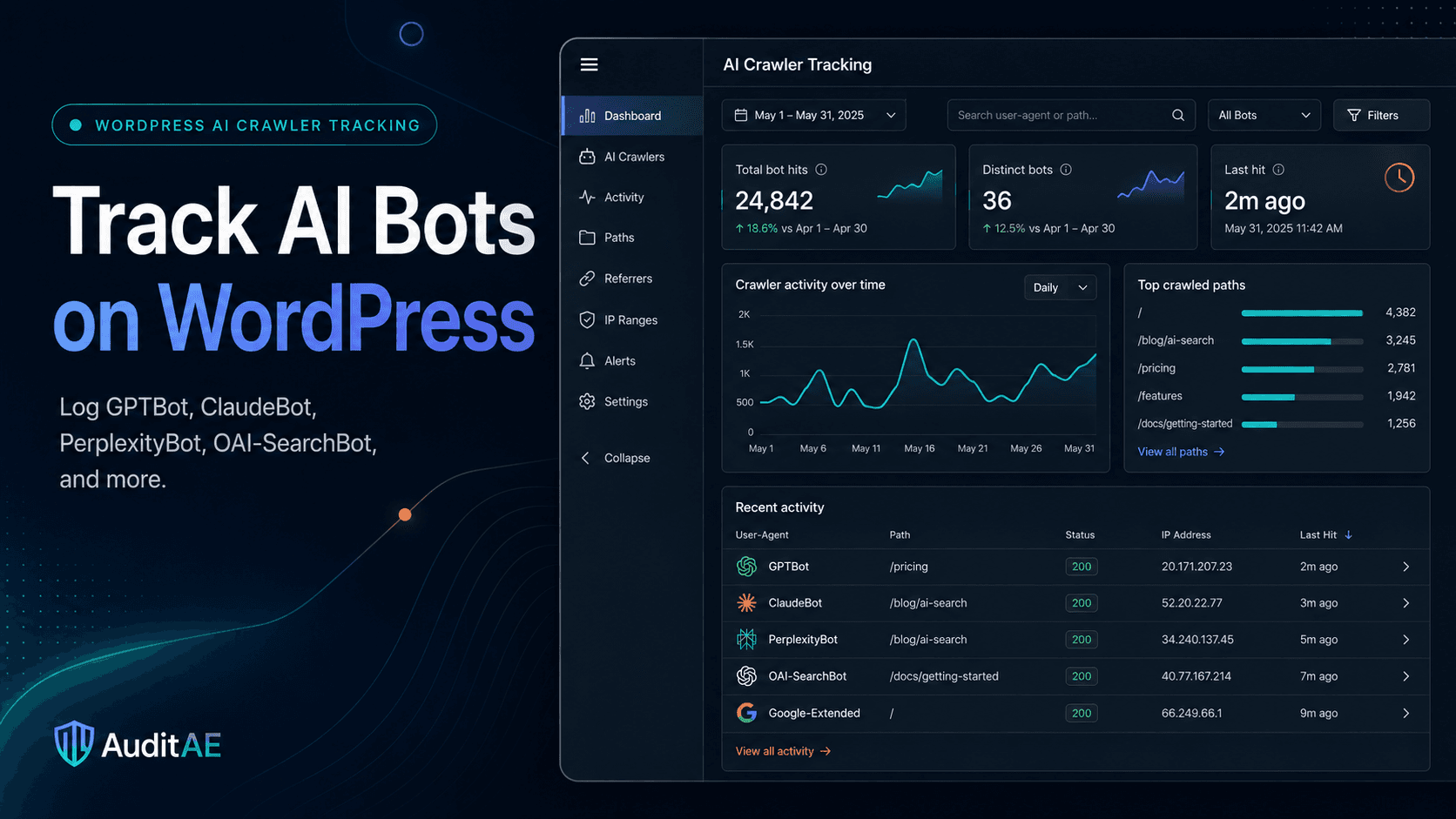
- Total AI crawler hits, last thirty days. This is your baseline. A flat line over time is fine; a sudden drop is a problem.
- Distinct bots in the window. Watch the trend more than the absolute number. A count stuck at two or three can mean either a tiny site or a robots.txt that's blocking the rest.
- Top crawled paths. Sort by hit count. The top five paths tell you what AI engines think your site is "about." If the top path is a thin tag archive instead of your cornerstone content, your internal linking is misleading the bots.
- Time since last hit, per bot. This is the leading indicator. A bot that hasn't visited in fourteen days when it used to visit weekly is a sign to investigate.
The AuditAE crawler tab surfaces all four out of the box. Anywhere else, you'll be building it in Looker Studio or a spreadsheet.
Enhancing User Experience through Bot Behavior Analysis
Real-Time Bot Tracking Techniques
"Real-time" in this context doesn't mean millisecond streaming. AI bots don't crawl that fast and you don't need to react that fast. What you do need is for new hits to show up in your dashboard within a few minutes, so you can validate a change (a new robots.txt rule, a sitemap submission, a redirect cleanup) without waiting until tomorrow.
The plugin meets this bar because each hit is written on the same request the bot makes, and the dashboard summary is cached for at most five minutes. If you've built your own detector with batched writes or a queue, factor in the lag when you're testing changes.
Utilizing AI Monitoring Tools
For most WordPress publishers, a local crawler log is enough to answer the day-to-day questions. You graduate to a richer monitoring tool when you need one of three things:
- Multi-site rollups. Five client sites, one dashboard. The AuditAE AI citation tracking platform reads the plugin's crawler log over its REST endpoint, so any site paired to your AuditAE account folds into a single AEBOT chat where you can ask "which of my paired sites had GPTBot drop off in the last seven days?"
- Cross-engine correlation. Plain crawler hits are a leading indicator. The lagging indicator is whether the engine cited you for the prompts your buyers actually ask (our live audit of Yoast across four engines shows what that looks like). That's a different measurement layer entirely, and it lives in your AEO audit tool. AuditAE runs both sides in the same product.
- Historical retention. The plugin keeps 90 days of hits (up to 200,000 rows). If you want a year of trend data, you'll want to mirror the log into a longer-term store. The tab's CSV export (the latest 500 hits per file) is the simplest way to do that.
Analyzing Bot Traffic
The two patterns worth getting fluent at:
Coverage drift. Plot hits per bot per week for the last twelve weeks. If a previously active bot's line goes to zero, check three things in order: your robots.txt (you may have a stale Disallow), your CDN's bot management rules (Cloudflare's Bot Fight Mode and AI-crawler blocking settings are common causes), and your sitemap's last-modified timestamps (Google only uses lastmod when it's consistently accurate, so a sitemap that claims everything changed yesterday stops being a useful recrawl signal). The free AI crawler checker covers the first two from outside: it reads your robots.txt for every major AI bot and requests your homepage as GPTBot, ClaudeBot, PerplexityBot and ChatGPT-User to spot a likely firewall block.
Path concentration. Group hits by URL path. If 80% of your AI crawler traffic is hitting your homepage and category archives instead of your cornerstone posts, you're being crawled but the engines aren't going deep. The fix is internal linking, not more content. Add prominent links from your homepage and high-traffic pages to the cornerstone pieces you want cited.
Leveraging Data for SEO Benefits
Using Insights to Optimize Content
Two concrete moves you can make from a week of crawler data:
-
Find your most-crawled pages and pressure-test them for extraction. Pull the top ten URLs by AI crawler hit count. For each, read the first paragraph under the H1. Does it answer the headline directly in two sentences, with no preamble? If not, rewrite it. AI engines extract from the first answerable passage, and your most-crawled URLs are the ones most likely to get cited if the extraction works.
-
Find your least-crawled cornerstone pages and route traffic to them. Pull the URLs you intended to be cornerstone (your pillar guides, your most defensible product pages). Cross-reference against the crawler log. Any that aren't in the top quartile of hits are under-linked. The cheapest fix is adding contextual links from your homepage and your top three highest-crawled posts.
Influencing Internal Linking with Bot Behavior Data
Standard SEO internal-linking advice is "link from high-authority pages to pages you want to rank." The AI-crawler version is one degree more specific: link from high-crawl-frequency pages to pages you want cited.
These overlap, but they're not identical. A page that ranks well in Google can be invisible to PerplexityBot if it's served behind a JavaScript-heavy front end the bot can't render. A page that ranks unevenly but gets fetched daily by ClaudeBot is a high-leverage link source for AI search even if it isn't a traditional SEO powerhouse. The crawler log tells you which one each page is, and your linking decisions should follow.
For the broader picture of what to do once your site is being read consistently by every major engine, our WordPress integration page covers how AEBOT can draft, edit, and SEO-tune posts directly inside your dashboard, and the AI search optimization pillar covers the citation-side strategy.
Conclusion
Summary of Benefits
Tracking AI crawlers is now part of measuring AI search. The AuditAE plugin watches about 30 AI crawlers, and the engines behind them decide what to read and cite on signals that Google Search Console can't show you. Two specific wins compound the fastest:
- You catch silent blocks early. A misconfigured robots.txt or an overzealous CDN rule that costs you a month of ChatGPT citations is the kind of mistake nobody notices until they look at the data.
- You make internal linking decisions on actual crawl behavior instead of inferring it from search rankings.
Future of AI in SEO
The next eighteen months are going to keep adding crawlers to the list, not shrinking it. Apple, ByteDance, Meta, Amazon and Mistral all run AI crawlers or fetchers now, and newer assistants keep adding their own. The tooling that worked in 2023 (occasionally grepping access logs for "GPTBot") doesn't scale to that surface area.
Set up a continuous log. Watch the four metrics. Use the data to make linking and content decisions. Most hosted builders don't show you this data (Wix is one exception, with built-in AI bot reports), which is part of why WordPress wins the AI-search comparison against Webflow, Wix, Shopify, and Squarespace.
The AuditAE WordPress plugin is the path of least resistance: install it, get every AI crawler logged from the next request onward, and decide later whether you want the paid AEO audits and dashboard editing on top. Grab the AuditAE WordPress AI crawler tracker and connect your first site.
Not sure where your own site stands on these checks? The free AI search audit scores any domain 0–100 on robots.txt bot rules, llms.txt, Organization and Article schema, snippet directives, server-rendered text and freshness, and emails the fix for each one. No login, ten seconds.
Want the verdict for your own site? The free AI crawler checker checks your robots.txt against every major AI crawler, quotes the line that decides each one, and tests whether your firewall turns GPTBot, ClaudeBot, PerplexityBot or ChatGPT-User away. No login.
FAQ
No. With the AuditAE plugin, detection runs as a single case-insensitive substring scan on template_redirect, and each matched bot hit is one insert into a small indexed table, kept to 90 days and capped at 200,000 rows (oldest pruned first). For an ordinary visitor the only cost is that one string scan, and only matched bot hits write anything at all.
Blocking is a strategic call, and it isn't all-or-nothing: you can block a training crawler like GPTBot and still allow the search crawlers (OAI-SearchBot, PerplexityBot) that decide whether ChatGPT and Perplexity can cite you. Most publishers who care about AEO want to be read, not blocked. Whatever you decide, the right starting point is data: track first, then choose. You can't make an informed call from zero observability.
GPTBot is OpenAI's training crawler. OAI-SearchBot crawls pages so they can appear in ChatGPT search answers, and OpenAI says it isn't used for training. ChatGPT-User is the on-demand fetch that happens when someone asks ChatGPT to open or summarize a specific URL. Different purposes, different volume patterns, different blocking implications.
No. The AI crawlers tab is free, standalone, and works the moment you activate the plugin. The optional Connect tab adds citation audits and post editing, which is a separate signup at auditae.app.
On actively published sites, the first hit often lands within twenty-four hours. Smaller or newer sites may go several days between visits, which is normal. The plugin's empty state explains this so you don't think it's broken.
Run the citation report on your own brand.
See which prompts cite you on ChatGPT, Perplexity, Gemini, and Google AI Overviews — the first one’s free, no card.
Aaron is the founder of AuditAE. He has run AI-visibility audits for SEO agencies and in-house brand teams, and writes about how generative answer engines are reshaping the practice of search marketing.
Related reading
- 7 min readWordPress Redirect Plugin Guide 2026: Best Free Options, 301s Done Right, and the 404s AI Bots SeeEvery WordPress site accumulates broken URLs, and a redirect plugin is how you keep the link credit when they move. Here's an honest 2026 comparison of Redirection, Rank Math, Yoast Premium and the rest, how to set up a 301 with or without a plugin, and the blind spot they all share: none of them picks out the 404s AI crawlers are hitting.
- 9 min readAI Crawlers Explained: What ClaudeBot, GPTBot, OAI-SearchBot, and 27 Other Bots Want From Your WebsiteStrange user agents in your server logs, like ClaudeBot, GPTBot, OAI-SearchBot or PerplexityBot? Here's what every major AI crawler actually does with your content, which ones feed citations versus training data, how to verify the real thing, and how to decide bot-by-bot whether to block or allow.
- 13 min readWordPress robots.txt: The Complete 2026 Guide (Find It, Edit It, and Stop Blocking AI Search)WordPress generates a robots.txt you've probably never edited, and in 2026 one stale rule in it can make you invisible to ChatGPT, Perplexity, and Gemini. Here's where the file lives, how to edit it safely, what a good one looks like, and how to audit it against every AI crawler for free.