Do llms.txt Files Help AI Search? What They Do, What They Don't, and How to Use One
An llms.txt file can help AI agents understand your site faster, but it is not a proven AI search ranking factor. Here is what it does, what it does not do, and how to use one.
On this page· 18 sections
Short answer: yes, but not in the way most people think.
An llms.txt file can help AI systems understand your site faster if they choose to read it. It gives AI agents a clean, structured summary of your company, products, important pages, documentation, policies, and preferred resources.
But there is a big difference between:
"This helps an AI system understand my site."
And:
"This makes ChatGPT, Perplexity, Gemini, or Google AI Overviews cite me more often."
The first statement is reasonable. The second is not proven.
Right now, llms.txt is best understood as an AI-readable site guide. It is useful, cheap to create, and can reduce ambiguity. But it is not an AI ranking file.
What is llms.txt?
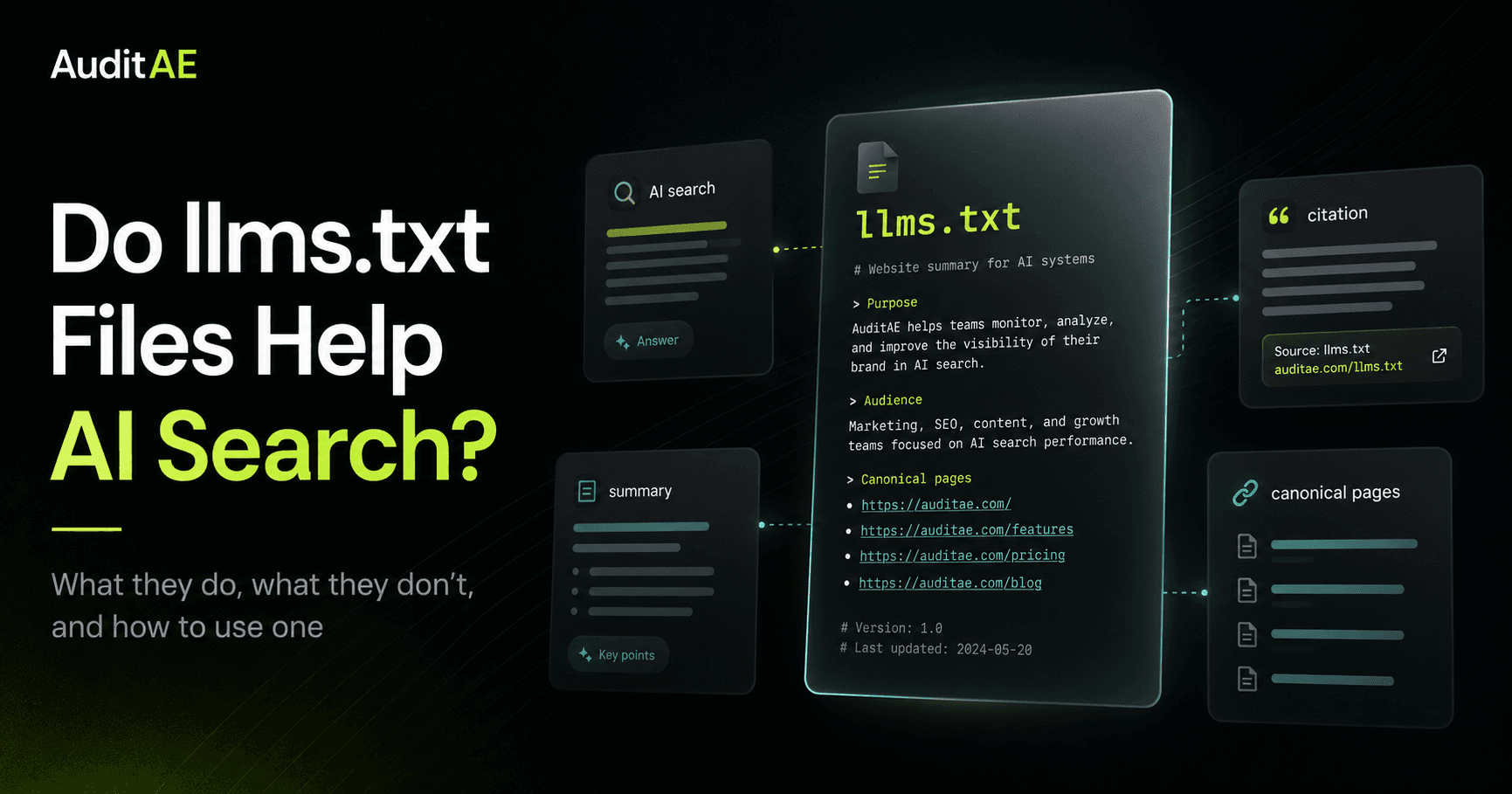
llms.txt is a plain-text Markdown file placed at the root of a website.
For example:
example.com/llms.txt
The file gives AI systems a concise overview of what the site is, what it offers, and which pages matter most.
A good llms.txt file might include:
- A short summary of the company
- Product or service pages
- Pricing
- Documentation
- Methodology pages
- Important blog guides
- API docs
- Contact or support pages
- Policies
- Other canonical resources
Think of it this way:
Your homepage is for humans.
Your sitemap is for search engines.
Your llms.txt file is for AI systems and agents that need a clean starting point.
That does not mean every AI platform will read it. It means that when an AI system, crawler, tool, or agent does read it, the file gives that system a clearer map of your site than a noisy homepage, giant sitemap, or random blog post.
Why llms.txt exists
Websites are messy.
A typical page includes navigation, scripts, cookie banners, popups, footers, sidebars, tracking code, styling, duplicated templates, and sometimes JavaScript-rendered content. Humans can often ignore that noise. AI systems and agents may have to parse through it.
llms.txt exists because language models and AI agents benefit from clean context.
The file gives them:
- A short description of the site
- The most important URLs
- Short notes explaining each resource
- A hierarchy of what matters
- A way to understand the site without crawling everything first
The goal is not to replace your website.
The goal is to reduce ambiguity.
If your site has 300 blog posts, 40 service pages, 12 product pages, and multiple outdated URLs, an AI agent may not know where to start. A good llms.txt file tells it:
"Start here. These are the pages that explain us best."
How llms.txt is different from robots.txt and sitemap.xml
llms.txt is often compared to robots.txt and sitemap.xml, but they do different jobs.
| File | Main purpose | Audience | Controls access? | Helps discovery? | Helps interpretation? |
|---|---|---|---|---|---|
robots.txt | Gives crawler access preferences | Bots and crawlers | Yes, loosely | No | No |
sitemap.xml | Lists URLs for discovery | Search engines | No | Yes | Limited |
llms.txt | Summarizes important context and links | LLMs and AI agents | No | Somewhat | Yes |
robots.txt is about permission.
sitemap.xml is about discovery.
llms.txt is about interpretation.
That distinction matters. Calling llms.txt "the new robots.txt" sounds catchy, but it is misleading. It does not control access. It does not tell AI companies what they are allowed to train on. It does not replace your sitemap.
It is better described as a curated context file.
Does llms.txt help AI search rankings?
Not proven.
There is no strong public evidence that adding an llms.txt file directly improves rankings, mentions, or citations in ChatGPT, Perplexity, Gemini, Claude, or Google AI Overviews. Two large studies back that up: SE Ranking found no clear link between having the file and AI citations across about 300,000 domains, and Ahrefs found that 97% of the llms.txt files across the 137,210 domains it studied were never fetched in May 2026.
That does not make it useless.
It just means the value is different.
A good llms.txt file may help:
- AI tools understand your company faster
- Agents find your most important pages
- AI systems avoid outdated or weak pages
- Site-reading workflows summarize your business more accurately
- Developer tools and browser agents navigate documentation faster
- Your own team test whether AI understands your positioning
But it does not guarantee:
- More ChatGPT citations
- More Perplexity citations
- Google AI Overview inclusion
- Higher rankings
- Better organic traffic
- Better brand authority
- Training-data inclusion or exclusion
The safest statement is:
llms.txt can help AI systems that read it understand your site faster. It is not currently a proven AI search ranking factor.
Does Google use llms.txt for AI Overviews?
Google has been direct here: you do not need llms.txt to appear in Google's generative AI Search features, because Google Search itself doesn't use it.
Google's public guidance says generative AI Search still depends on the same core foundations that already matter in SEO:
- Crawlability
- Indexability
- Helpful content
- Technical structure
- Search quality systems
- Query relevance
- Content that satisfies the user
Google's AI systems can retrieve content from its Search index, use retrieval-augmented generation, and run query fan-out to gather supporting information from related searches.
That means the old SEO basics still matter.
Your important pages need to be crawlable. They need to be indexable. They need to answer real user questions clearly. They need to be useful enough to deserve retrieval.
For Google AI Overviews, llms.txt neither helps nor hurts. Keeping one for other tools that read it is fine, but it is no replacement for strong content and technical SEO.
Do ChatGPT, Perplexity, Claude, or Gemini use llms.txt?
This is where things get murky.
Some AI tools do read llms.txt, coding agents most of all. In the Ahrefs study above, Claude Code, Anthropic's coding agent, fetched llms.txt files more often than any AI retrieval bot, AI assistant, or AI training crawler. No AI bot in that study requested an llms.txt file that didn't exist: tools fetch it only when a link, an index, or a user's instruction points them to it.
But the major AI platforms mostly document crawler and retrieval behavior through user agents, robots.txt rules, and bot-specific access controls.
For example:
OpenAI documents different user agents for different purposes. OAI-SearchBot is tied to search visibility in ChatGPT search features. GPTBot is tied to training-related crawling. ChatGPT-User is tied to certain user-triggered actions.
Perplexity documents PerplexityBot for surfacing and linking websites in Perplexity search results, plus Perplexity-User for user-requested actions.
Anthropic documents separate bots for model training, user-directed retrieval, and search-related crawling.
The practical takeaway:
If you care about AI visibility, do not only ask "Do we have llms.txt?"
Also ask:
- Are important AI crawlers allowed in
robots.txt? - Are they getting blocked by a WAF?
- Are they hitting 404s?
- Are they crawling the right pages?
- Are those pages actually useful?
- Are we getting mentioned?
- Are we getting cited?
- Which competitors are being cited instead?
llms.txt is one piece of the AI visibility stack. It is not the whole stack.
What llms.txt actually helps with
The best argument for llms.txt is simple:
It helps AI systems understand your site when they read it.
1. Faster site comprehension
An AI agent does not have to start cold.
Instead of crawling your homepage, guessing at your positioning, clicking through navigation, and sorting through your entire sitemap, it can read a concise summary first.
For a SaaS company, this is especially useful. Your homepage may be written for conversion. Your llms.txt file can be written for clarity.
It can say exactly:
- What the product does
- Who it is for
- Which problems it solves
- Which pages explain it best
- Which terms matter
- Which resources are canonical
2. Better canonical source selection
AI systems often need to decide which page best answers a question.
That is not always obvious from a sitemap.
A sitemap may list every URL. An llms.txt file can list the URLs you actually want AI systems to inspect first.
That matters if your site has:
- Old blog posts
- Duplicate category pages
- Thin landing pages
- Multiple versions of similar content
- Legacy documentation
- Product pages that changed over time
A curated file can point AI systems toward the pages that best represent the current business.
3. Cleaner product understanding
Many websites bury the actual answer.
A SaaS homepage might have a clever hero line, a vague subheading, three animated panels, and a CTA. That may work for humans who already know the category. It may not be ideal for an AI system trying to understand what the product actually does.
An llms.txt file can be direct:
- Product name
- Category
- Audience
- Core use case
- Pricing model
- Integrations
- Key workflows
- Important documentation
That can help reduce misclassification.
4. Better AI agent workflows
AI agents are becoming a real audience for websites.
Some agents interpret screenshots. Some inspect raw HTML. Some rely heavily on the accessibility tree. Some combine multiple inputs.
In that world, clean machine-readable structure matters.
llms.txt is not a substitute for semantic HTML, accessible design, or crawlable content. But it is part of the same broader movement: making websites easier for machines to understand and act on.
5. Easier internal QA
llms.txt is also useful for your own team.
Once you create one, you can test it.
Give the file to an AI tool and ask:
- What does this company do?
- Who is this product for?
- What pages matter most?
- What topics is this site authoritative on?
- What is unclear?
- What important page is missing?
- What would you cite if asked about this category?
If the answers are wrong, vague, or incomplete, your file needs work.
That test is valuable even if no major AI search engine ever treats llms.txt as a ranking signal.
What llms.txt does not do
llms.txt does not:
- Guarantee AI citations
- Guarantee AI Overview inclusion
- Replace SEO
- Replace schema
- Replace good content
- Override robots.txt
- Control model training
- Fix thin pages
- Fix vague positioning
- Make an unknown brand authoritative
- Force AI engines to cite your preferred URLs
If your page does not clearly answer the question, llms.txt will not save it.
If your site blocks important crawlers, llms.txt will not make your content retrievable.
If your brand has no authority, no mentions, no useful content, and no clear category position, llms.txt will not manufacture trust.
It is a clarity layer, not a credibility layer.
When should you add llms.txt?
Most serious business websites should probably add one because the downside is low.
It is especially useful for:
- SaaS companies
- WordPress sites
- Documentation sites
- Ecommerce stores
- API products
- Agencies
- Local service businesses with many service pages
- Publishers with large archives
- Companies with complex products
- Sites that care about AI agents and AI search visibility
It is lower priority if:
- Your site only has a few pages
- Your important pages are not indexable
- Your content is thin
- Your positioning is unclear
- Your site already has major crawl problems
- You do not have any useful canonical resources to include
The blunt version:
If your site is a mess, fix the site first.
If your site is already useful, llms.txt is a smart extra layer.
What should be inside an llms.txt file?
A good llms.txt file should be simple, structured, and selective.
It should usually include:
- Site or company name
- One-sentence summary
- Short explanation of what the company does
- Product or service links
- Pricing page
- Documentation or methodology pages
- Important guides
- Contact or support links
- Optional secondary resources
Here is a simple structure:
# Company Name

> One-sentence summary of what the company does, who it serves, and why it matters.

Company Name helps [audience] solve [problem] by [core product or service]. The most important pages for understanding the company are listed below.

## Product

- [Product overview](https://example.com/product): Explains the core product and use cases.
- [Pricing](https://example.com/pricing): Shows the pricing model and plan details.
- [How it works](https://example.com/how-it-works): Explains the workflow.

## Guides

- [Main guide](https://example.com/blog/main-guide): Explains the category and buyer problem.
- [Comparison guide](https://example.com/blog/comparison): Compares common options.

## Reference

- [Methodology](https://example.com/methodology): Defines how the product measures results.
- [Contact](https://example.com/contact): Shows how to reach the company.
The key is curation.
Do not dump every URL into the file. That is what a sitemap is for.
Your llms.txt file should answer:
"What should an AI system read first to understand this site correctly?"
llms.txt best practices
Use plain language.
Do not be clever. Do not stuff keywords. Do not turn the file into a sales page.
A strong llms.txt file should be:
- Short enough to be useful
- Clear enough to summarize
- Structured with simple headings
- Focused on canonical pages
- Updated when the site changes
- Honest about what the company does
- Free of private or sensitive information
Good rule:
If a new employee, journalist, or AI agent read only this file, would they understand the business correctly?
If yes, you are on the right track.
Common llms.txt mistakes
1. Treating it like a ranking factor
Do not write the file like it is an SEO hack.
Write it like a context document.
2. Keyword stuffing
Repeating "AI SEO tool" 40 times will not make the file better.
It will make it less trustworthy.
3. Listing every page
A giant list of 600 URLs is not helpful.
Curate the important ones.
4. Linking to weak pages
Do not send AI systems to outdated, thin, or confusing pages.
Link to pages that actually explain the business well.
5. Forgetting pricing and methodology
For SaaS sites, pricing and methodology pages are often important trust signals.
If your product measures something, explain how.
6. Letting it go stale
An outdated llms.txt file can be worse than no file.
If your pricing, product, category, or positioning changes, update the file.
7. Blocking crawlers and expecting visibility
If AI crawlers cannot access your site, an llms.txt file will not solve the crawl problem.
You still need to check robots.txt, WAF rules, server behavior, and bot 404s.
How to test whether your llms.txt works
Do not just publish the file and assume it helps.
Test it.
First make sure it parses. The free llms.txt validator checks a live file line by line against the llmstxt.org format, how it's served, and whether its links resolve. Then test what it actually says.
Here is a simple workflow:
- Create or update your
llms.txt. - Paste the file into an AI tool.
- Ask the AI to summarize your company using only the file.
- Ask who the product is for.
- Ask what the main product does.
- Ask which pages are most important.
- Ask what the pricing model appears to be.
- Ask what information is missing.
- Fix unclear summaries, missing links, or weak descriptions.
- Repeat the test.
Use prompts like:
- "Using only this
llms.txtfile, explain what this company does." - "What pages should an AI agent read first to understand this business?"
- "What buyer questions does this site appear to answer?"
- "What information is missing or unclear?"
- "Which links look canonical?"
If the AI gets your business wrong from your own llms.txt, the file is not doing its job.
How to measure whether llms.txt affects AI visibility
If you want to know whether llms.txt affects AI visibility, track before and after.
Use a simple testing framework:
- Pick 10 to 25 buyer-intent prompts.
- Run those prompts across ChatGPT, Perplexity, Gemini, and Google AI Overviews.
- Record whether your brand is mentioned.
- Record whether your site is cited.
- Record which URL is cited.
- Record which competitors appear instead.
- Add or improve your
llms.txt. - Monitor whether AI bots crawl the file.
- Re-run the same prompts later.
- Compare mentions, citations, cited URLs, and competitor visibility.
The question is not:
"Did we create an llms.txt file?"
The question is:
"Did AI systems understand, retrieve, mention, or cite us differently after we created it?"
That is the only way to tell whether the file changed anything.
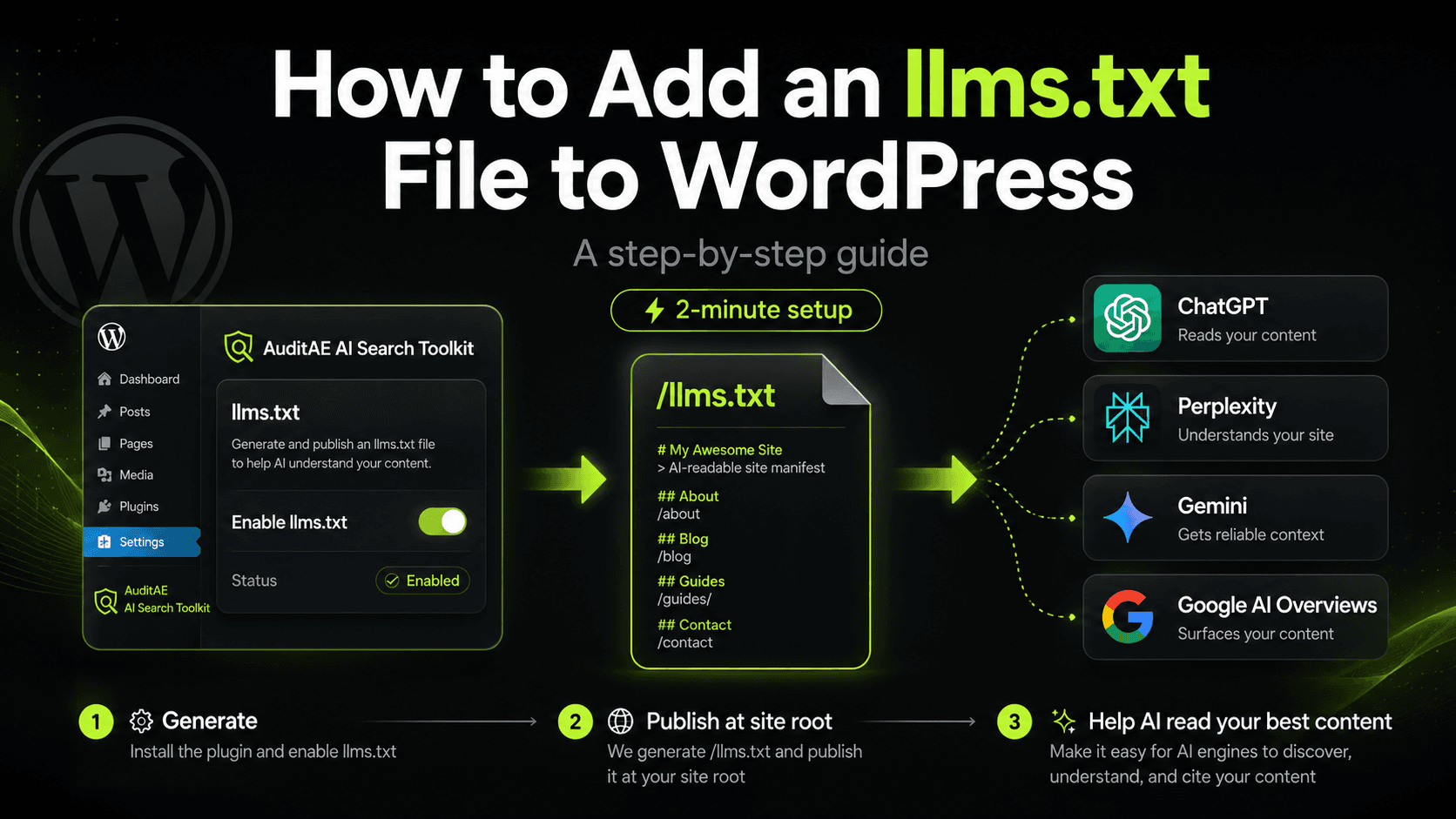
How to add llms.txt to WordPress
There are three common ways to add llms.txt to a WordPress site.
Option 1: Create it manually
You can write the file yourself, upload it to your site root, and update it when important pages change.
This works fine for small sites.
The downside is maintenance. Most teams forget to update it.
Option 2: Generate it through your theme or developer workflow
A developer can generate the file from selected post types, pages, docs, or custom fields.
This is better for larger sites because the file can stay connected to your CMS.
The risk is over-inclusion. Auto-generated files still need editorial control.
Option 3: Use a WordPress AI search plugin
A plugin can generate and serve /llms.txt from WordPress, then let you edit the summary, sections, and pinned links.
The ideal setup gives you:
- A live
/llms.txtat the site root - Editable H1, intro, sections, and links
- Pinned canonical resources
- Caching
- No heavy database overhead
- AI crawler tracking
- Bot 404 detection
- A way to compare crawler activity with AI citations
That last part matters.
The real question is not just whether you have an llms.txt file.
The better question is:
Are AI bots finding your site, reading the right pages, and citing you when buyers ask relevant questions? The AuditAE WordPress plugin generates and serves your /llms.txt, then tracks which AI crawlers actually read it so you can connect crawler activity to citations.
Should you use llms.txt?
Yes, with the right expectations.
Use llms.txt because it is a clean, low-cost way to help AI systems understand your site.
Do not use it expecting it to improve AI rankings.
The best framing is:
llms.txt is not the new SEO. It is a useful context layer for an AI-readable web.
It belongs next to good content, crawlability, schema, internal links, accessible structure, clear product pages, and measurement.
If you care about AI visibility, add one, but do not stop there.
Final verdict
llms.txt files can help AI systems understand your site faster when those systems read them.
They are especially useful for SaaS companies, documentation sites, ecommerce stores, agencies, and WordPress sites with lots of content.
But llms.txt is not a proven AI search ranking factor. Google says it is not required for generative AI Search. Major AI platforms still document crawler behavior mostly through user agents, robots.txt controls, and retrieval systems.
The smart move is simple:
Create a clean llms.txt file.
Keep it updated.
Make sure your important pages are crawlable.
Track whether AI bots actually visit it.
Measure whether your brand gets mentioned and cited across the prompts your buyers ask.
Treat llms.txt as part of your AI visibility stack, not the whole strategy.
Not sure where your own site stands on these checks? The free AI search audit scores any domain 0–100 on robots.txt bot rules, llms.txt, Organization and Article schema, snippet directives, server-rendered text and freshness, and emails the fix for each one. No login, about ten seconds.
Need a file, or want to check the one you have? The free llms.txt generator and validator drafts an llms.txt from your sitemap using your own page titles and descriptions, or checks your live file line by line against the llmstxt.org format. No login.
FAQ
llms.txt is a Markdown file placed at the root of a website to give AI systems a concise summary of the site and links to important resources.
Not directly. It is not a proven traditional SEO ranking factor. It may help AI systems understand your site, but it does not replace SEO fundamentals.
It can help AI tools that read it understand your site faster. It has not been proven to directly improve AI search citations or rankings.
No. Google says Google Search doesn't use llms.txt or other special AI text files, so you do not need one to appear in its generative AI features. Keeping one for other tools that read it is fine.
No. robots.txt gives crawler access preferences. llms.txt gives AI systems context and curated links.
No. A sitemap lists URLs for discovery. llms.txt summarizes the site and points AI systems to selected high-value resources.
Not every site needs one, but most serious business websites can benefit from having one. It is especially useful for SaaS, ecommerce, documentation, WordPress, and content-heavy sites.
Include your company summary, product pages, pricing, documentation, methodology, important guides, support pages, and other canonical resources.
Possibly in some workflows if ChatGPT or a browsing agent reads it, but there is no reliable public proof that it directly increases ChatGPT citations.
Test whether AI systems can accurately summarize your company from the file, monitor AI crawler logs, and track brand mentions and citations before and after publishing it.
Run the citation report on your own brand.
See which prompts cite you on ChatGPT, Perplexity, Gemini, and Google AI Overviews — the first one’s free, no card.
Aaron is the founder of AuditAE. He has run AI-visibility audits for SEO agencies and in-house brand teams, and writes about how generative answer engines are reshaping the practice of search marketing.
Related reading
- 5 min readWhat Is llms.txt? Format, Examples and a Free Generatorllms.txt is a Markdown file at your site root that gives AI tools a curated map of your most important pages. The format, copy-ready examples, how it differs from robots.txt and sitemap.xml, and a free generator to build yours.
- 10 min readHow to Improve Brand Visibility in AI Search Engines: 8 Fixes You Can Ship This MonthAI engines already have an opinion about your brand. Here is how to check what it is, and the eight fixes, in order, that change it, with the WordPress path where there is one.
- 11 min readHow to Add an llms.txt File to WordPress: A Step-by-Step GuideAdding an llms.txt file to WordPress takes about two minutes. Here's the easy way with the free AuditAE plugin, the manual method, and how to confirm AI bots are actually reading it.