

AuditAE MCP Server: Run AI Citation Audits Inside Claude and Cursor
AuditAE's MCP server lets Claude, Cursor, and any MCP client check whether AI engines cite your brand, mid-conversation. Setup, tools, and pricing inside.
On this page· 8 sections
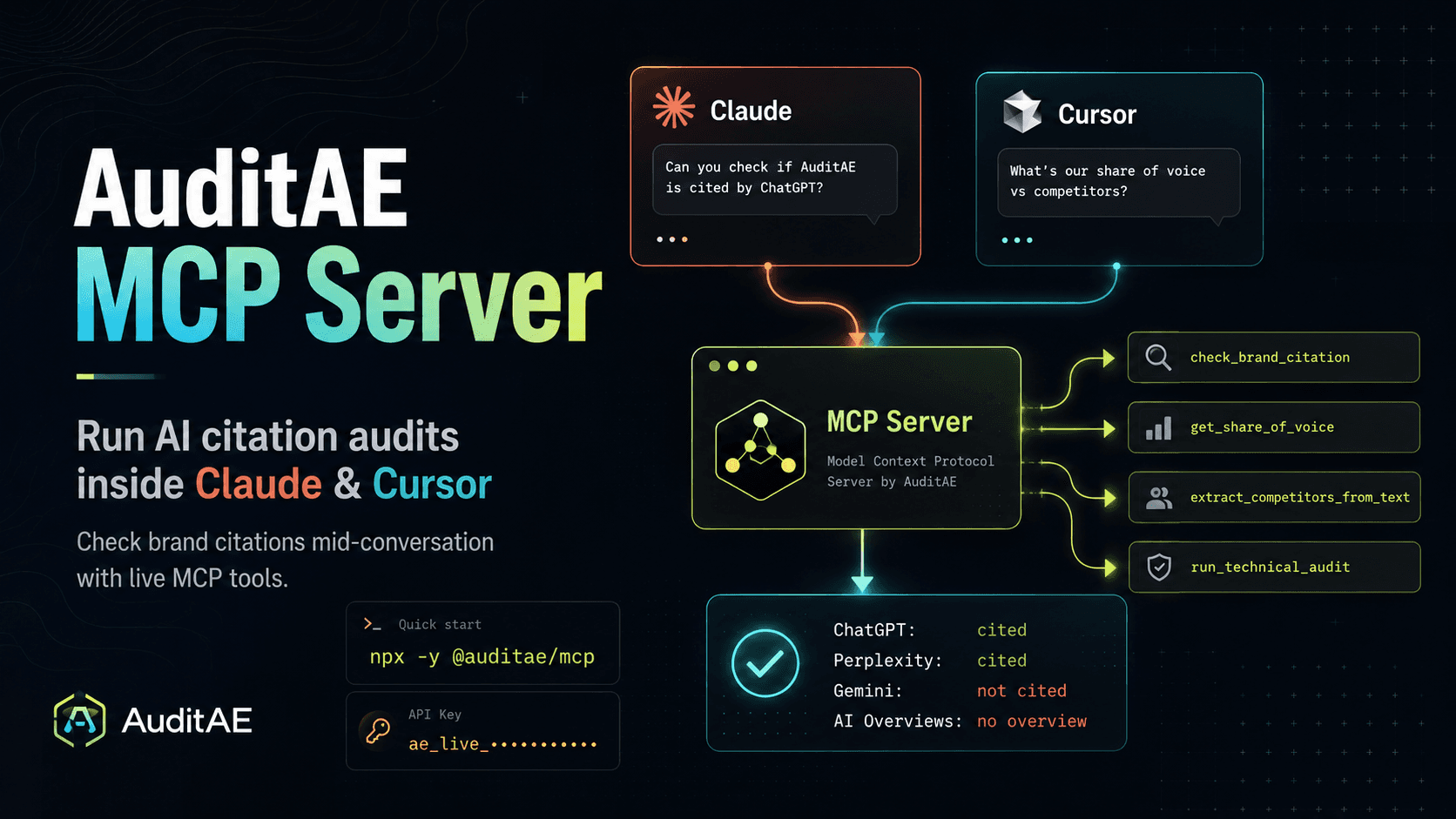
AuditAE's MCP server lets any MCP-aware AI client (Claude, ChatGPT, Cursor) check whether AI engines cite your brand without leaving the conversation. The same audit engine behind the AuditAE dashboard runs as a set of native tools your client calls mid-chat: you ask, in plain language, whether ChatGPT or Perplexity recommends you for a prompt, and the answer comes back inline. No dashboard, no copy-paste, no separate tab.
Note
Current setup steps for every client: /docs/mcp.
Checking your AI visibility usually means breaking flow. You're drafting a comparison page in Cursor or working through positioning in Claude Desktop, and to find out who the engines actually recommend you have to stop, open a dashboard, and paste prompts one at a time. This post explains what an MCP server is, what the AuditAE server exposes, how to wire it up in about two minutes, and what a real run looks like.
What is an MCP server?
An MCP server is a program that exposes tools and data to an AI assistant through the Model Context Protocol (MCP), an open standard for connecting AI models to the outside world. Anthropic introduced it in late 2024 and donated it to the Linux Foundation's Agentic AI Foundation in December 2025. In plain terms, the meaning of "MCP server" is a universal adapter: instead of every AI app building one-off integrations, an MCP server publishes a standard set of "tools," and any MCP-aware client can discover and call them during a conversation.
The pieces are simple:
- The client is the AI app you already use: Claude, ChatGPT, Cursor, Claude Code or Cline.
- The server is the thing exposing capabilities, in this case AuditAE's audit engine.
- The transport is how they talk. The AuditAE server is hosted: your client connects to
https://auditae.app/api/mcpover Streamable HTTP, so there's nothing to install or keep updated.
When a server is connected, its tools appear in the client's tool list. The model decides when to call them based on what you ask. You never invoke a tool by hand. You describe what you want, and the client picks the right tool and fills in the arguments. That's the whole point: capabilities show up where you're already working, in natural language.
Why run AI citation audits from your AI client?
Answer Engine Optimization (AEO) is now a measurement problem. Buyers ask ChatGPT, Perplexity, Gemini, and Google AI Overviews for recommendations, and whether your brand gets cited in those answers is invisible unless you check it directly. The dashboard does that well, but it lives in a different tab from where the work happens.
The AuditAE MCP server removes the context switch. Drafting a "best CRM for startups" comparison in Cursor? Ask your editor whether the engines already cite you for that exact phrasing, without opening anything. Thinking through positioning in Claude? Check a competitor claim the moment you make it. The audit runs against the real engines in parallel and hands the result back in the same conversation.
Which tools does the AuditAE MCP server expose?
The server exposes more than 50 tools spanning citation checks, fix plans, technical and agent-readiness audits, schema, Google Analytics and Search Console reports, account balance, client portals, and WordPress automation, from the same registries the dashboard and REST API use. These four are the ones you'll reach for first: two run live engine checks that draw from your credit balance, and two are bundled and run free.
| Tool | What it does | Cost |
|---|---|---|
check_brand_citation | Runs one prompt across the engines you pick (ChatGPT, Perplexity, Gemini, Google AI Overviews) in parallel. Returns whether you were cited, who got the link credit instead, the sources each engine pulled from, and the sentiment of the mention. | 5–12¢ / check, by engine |
get_share_of_voice | Runs a full prompt-by-engine matrix and returns domain-level citation counts, so you can see who owns a topic across every engine at once. | 5–12¢ / check, by engine |
extract_competitors_from_text | Takes AI output you already have and pulls out the competitor brands it names, plus the sentiment toward yours. Useful when you've copied an answer from somewhere and want it structured. | Free |
run_technical_audit | Checks one page (your homepage by default) and returns Core Web Vitals, schema, robots.txt AI-crawler blocks and llms.txt, plus the other on-page basics that affect whether you get cited. | 3 pages a day free, then 2¢ a page |
Connected Google in the dashboard? Two more tools, query_search_console and query_google_analytics, run Search Console and GA4 reports for any of your sites from the same chat, with no Google Cloud project (20 free calls a day, then 1¢ each). Setup is on the Search Console MCP and Google Analytics MCP pages, and the best MCP servers for SEO compares this server with DataForSEO, Semrush, Ahrefs and Google's own.
Because the server speaks standard MCP, any client that supports remote servers can use these. There's nothing AuditAE-specific about the wiring beyond signing in or adding your API key.
How do you connect the AuditAE MCP server to Claude or Cursor?
The server is hosted at https://auditae.app/api/mcp. How you connect depends on the client, and each takes about two minutes.
Claude.ai and ChatGPT: sign in, no key. Add https://auditae.app/api/mcp as a custom connector in Claude.ai or ChatGPT. In ChatGPT that takes developer mode, available on Plus, Pro, Business, Enterprise and Education accounts on the web. Claude's Free plan allows one custom connector. You'll be sent to AuditAE to sign in and approve access, and the tools appear in the chat. No API key, no config file.
Claude Code: sign in, no key. Add the server once for every project, then run /mcp in Claude Code, pick auditae and choose Authenticate:
claude mcp add --transport http --scope user auditae "https://auditae.app/api/mcp"
Cursor, Windsurf and other editors: an API key. In the dashboard, go to /dashboard/keys, click Create key and copy it. The key is shown once, so store it before you close the tab. Keys are org-scoped and look like ae_live_…. Then add the server to the client's user-level config (~/.cursor/mcp.json in Cursor), or any client that takes a URL and headers:
{
  "mcpServers": {
    "auditae": {
      "url": "https://auditae.app/api/mcp",
      "headers": { "Authorization": "Bearer ae_live_…" }
    }
  }
}
Claude Desktop can add the server as a custom connector, the same way as Claude.ai. To use an API key there instead, bridge it to the hosted URL with mcp-remote, since its config file launches local servers only. The exact config is in the MCP setup docs.
Restart or reload the client and the tools appear in its tool list. Ask it to list your sites to confirm the connection. The server checks your key or sign-in on every call against your live workspace and balance, so a revoked key or an empty balance fails fast instead of silently doing nothing.
Codex and VS Code sign in too. Current setup for every client: MCP setup.
What does a real audit run look like?
Once it's connected, you don't call tools by hand. You ask a question. For example:
Is Linear cited when someone asks ChatGPT and Perplexity for the best project management tool for a small startup?
Your client picks check_brand_citation, fills in the brand, prompt, and engines, and runs it. What comes back, per engine: cited true or false, the position the mention showed up at, the competitors named alongside you, and the sources behind the answer.
Two things are worth knowing from the raw output:
- Google AI Overviews often returns nothing, because Google doesn't surface an overview for many queries. That's a real result, not an error, and it's worth tracking on its own.
positionis a character index into the response text, not a rank. Read it as "how early in the answer the brand appears," not "what place it came in."
Who is the AuditAE MCP server for?
- If you write content, you can check a claim the moment you make it. Draft a comparison page in Cursor, then ask your editor whether the engines already cite you for that comparison, without opening anything.
- If you run an agency, wire one key into your own Claude Desktop and check any client's citations from the same place you do everything else.
- If you build, the MCP server and the REST API hit the same metered pipeline. Same data, same billing, whether it's a tool call from Claude or a fetch from your own app.
How much does the AuditAE MCP server cost?
There's no subscription and no API tier to upgrade to. Live checks are 5–12¢ each, by engine (Perplexity 5¢, ChatGPT 7¢, Google AI Overviews 9¢, Gemini 12¢; Google AI Mode is opt-in at 10¢). Checks are priced per engine because each one costs a different amount to run, and the rates are the same through the dashboard, the REST API, or the MCP server. Each audit also adds a fix-it playbook billed on usage: about 12¢ for each prompt-engine check that doesn't cite you, plus about 45¢ for the audit summary. The two bundled tools (extract_competitors_from_text and run_technical_audit) run free.
Sign up and $5 of free credit lands in your account: checks for around 15 prompts across all four engines, enough to run real audits from your editor before you decide whether to top up.
Fixing what the check finds? get_fix_plan works on any website: it detects the platform and returns each fix with steps for it and paste-ready schema. On a Next.js or Astro site, run the server in Claude Code or Cursor with your repo open and it makes the changes. On WordPress, the WordPress MCP server page covers the 26 read/write tools that apply fixes directly.
FAQ
It's a program that exposes tools and data to an AI assistant over the Model Context Protocol, an open standard Anthropic introduced in late 2024 and later donated to the Linux Foundation's Agentic AI Foundation. Once connected, the assistant can call those tools mid-conversation. The AuditAE server exposes AI-citation audits as tools.
The meaning of "MCP server" is a server that publishes capabilities to AI clients through the Model Context Protocol, so any compatible client can discover and call them. AuditAE's server publishes brand-citation and technical-audit tools.
Any MCP client that supports remote servers. Claude.ai and ChatGPT connect with OAuth as a custom connector, and Claude Code, Codex and VS Code sign in the same way. Cursor, Windsurf, Cline and other clients that can't sign in use the hosted URL with an API key in the Authorization header, and Claude Desktop's config file connects through mcp-remote.
No. There's no subscription. You get $5 of free credit (enough checks for about 15 prompts across all four engines) on signup, and live checks are 5–12¢ each depending on the engine, plus a fix-it playbook billed on usage after each audit. The rates are the same across the dashboard, REST API, and MCP server.
No. The MCP server and the REST API hit the same metered audit pipeline, so you get the same data and the same billing regardless of how you call it.
Because Google doesn't generate an overview for many queries. An empty AI Overviews result is a genuine finding worth tracking, not an error.
Run the citation report on your own brand.
See which prompts cite you on ChatGPT, Perplexity, Gemini, and Google AI Overviews — the first one’s free, no card.
Aaron is the founder of AuditAE. He has run AI-visibility audits for SEO agencies and in-house brand teams, and writes about how generative answer engines are reshaping the practice of search marketing.
Related reading
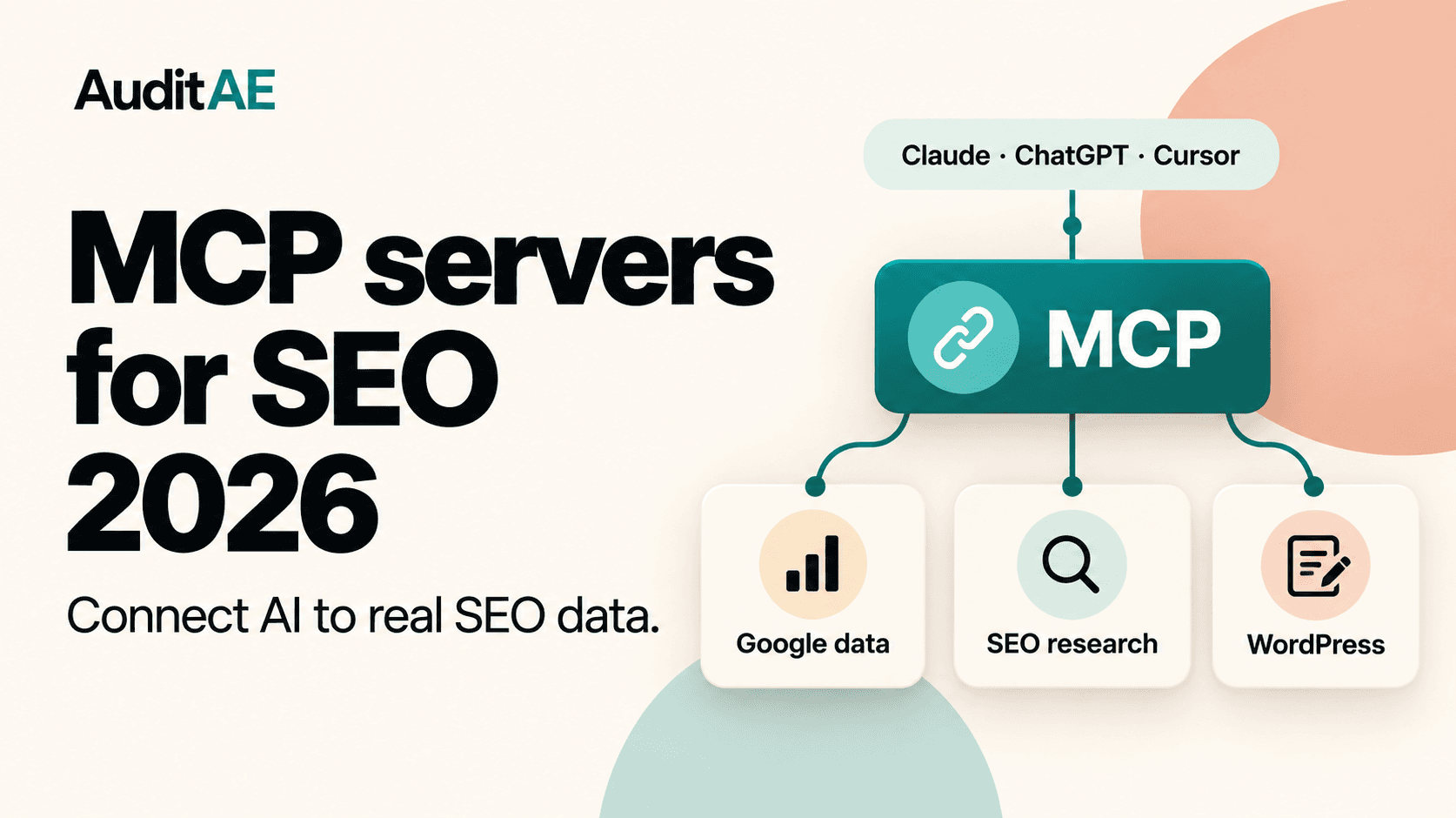
- 8 min readThe Best MCP Servers for SEO in 2026MCP servers let Claude, ChatGPT and Cursor pull real SEO data and act on it. Here are the seven worth connecting in 2026 (Google Analytics, Search Console, DataForSEO, Semrush, Ahrefs, WordPress and AuditAE), with what each does, what it costs and what it takes to set up.
- 9 min readHow to Connect Claude or ChatGPT to Google Analytics (GA4): A Step-by-Step WalkthroughAsk Claude or ChatGPT about your GA4 traffic and Search Console queries in plain English. This walkthrough connects Google once in AuditAE, adds one URL to Claude.ai, ChatGPT or Claude Code, and shows the first questions to ask, what it costs (the Google tools get 20 free calls a day, then 1¢ each) and how to fix the common errors.
- 9 min readHow to Connect Claude to WordPress: Claude.ai, Claude Desktop and Claude CodeA step-by-step guide to connecting Claude to a self-hosted WordPress site over MCP: install a free plugin, pair the site, pick what Claude may change, then connect Claude.ai, Claude Desktop, Claude Code or Cursor. Includes first prompts to try, what it costs and how to fix the common errors.