

Best Website Builder for SEO and AI Search Visibility (2026)
Every "best website builder for SEO" roundup checks the same boxes. In 2026 there's a second scorecard: can the platform get you cited by ChatGPT, Perplexity, Gemini, and Google AI Overviews? WordPress, Webflow, Wix, Shopify, and Squarespace, graded on both.
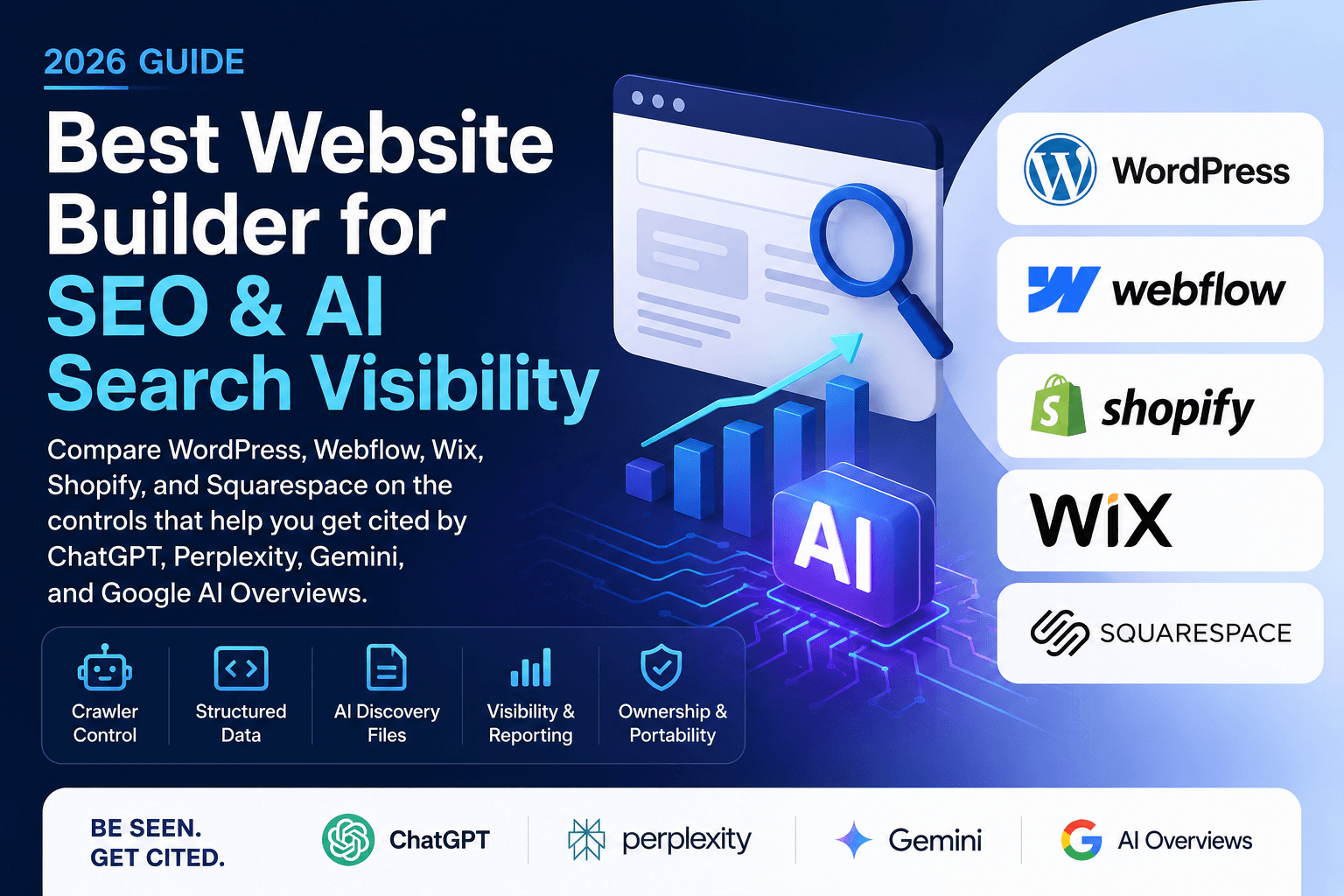
Every "best website builder for SEO" roundup checks the same boxes. Meta titles, sitemaps, page speed, mobile rendering. Those still matter. But in 2026 there's a second scorecard nobody's grading: can the platform get you cited by ChatGPT, Perplexity, Gemini, and Google AI Overviews?
That second scorecard runs on different controls. Per-bot robots.txt rules. Structured data you actually own. Root-level files like llms.txt. Visibility into which AI crawlers are hitting your site. Some builders hand you all of it. Some hand you a single checkbox.
This comparison grades five platforms on both. Classic SEO first, then the AI search column, because that's where the gaps get wide.
The criteria
Classic SEO is close to a solved problem on every major builder. Wix, Squarespace, and the rest fixed their technical fundamentals years ago. The "Wix is bad for SEO" era is over.
AI search visibility is not solved, and it comes down to five controls:
- AI crawler access. Engines can't cite what they can't fetch. You need per-bot robots.txt control, because the bots split into training crawlers (GPTBot, Google-Extended) and retrieval crawlers (OAI-SearchBot, PerplexityBot). Blocking the first group is a policy choice. Blocking the second group deletes you from AI answers. The details matter: OAI-SearchBot is what determines ChatGPT search eligibility, while ChatGPT-User handles fetches a user triggers mid-conversation and doesn't reliably honor robots.txt. And Google AI Overviews runs on regular Googlebot indexing, so Google-Extended only governs Gemini training, not whether AIO can cite you.
- Schema control. There's no special AI markup, and Google has said so directly: no schema type or file is required for AI Overviews or AI Mode. But structured data helps every engine interpret your pages, Google still recommends it, and you want to control your JSON-LD rather than accept whatever the template emits. Treat it as interpretation hygiene, not a citation-ranking lever.
- Root-level files. llms.txt and its relatives. Adoption evidence is mixed (more on that below), but if you want the option, the platform has to let you serve a file at your domain root.
- Crawler visibility. Server logs or a plugin that shows which AI bots visited and what they read. You can't manage what you can't see.
- Ownership. Whether your content, your markup, and your rules move with you when you leave.
Quick comparison
| AI crawler control | Schema control | llms.txt | Crawler logs | Classic SEO | |
|---|---|---|---|---|---|
| WordPress | Full, per-bot | Full | Yes, via plugin | Yes, via plugin | Excellent |
| Webflow | Full editor + bot toggles | Full custom code | Native upload | No native | Excellent |
| Shopify | Via robots.txt.liquid | Good, theme-level | Via Liquid template | No native | Very good |
| Wix | robots.txt editor | Good, improving | Auto-generated, eligible plans | No native | Good |
| Squarespace | One checkbox, fixed bot list | Limited | No native support | No native | Good |
WordPress: the most control, and the most responsibility
Self-hosted WordPress, to be precise. WordPress.com plans don't all give you plugin and file-level access, so this section assumes your own hosting. With that in place, it's the only option here where you own the whole stack. Root file access means robots.txt says exactly what you want, per bot, per path. Schema is whatever you decide, whether that's Yoast, Rank Math, or hand-written JSON-LD. llms.txt is a file you drop at the root or generate with a plugin — both major SEO plugins now generate one free. Nothing is gated behind a plan tier.
That control matters more for AI search than it ever did for classic SEO, because AI crawler policy is nuanced. The right setup for most sites in 2026 is: allow the retrieval bots (OAI-SearchBot, PerplexityBot, Claude-SearchBot) unconditionally, then make a deliberate call on the training bots. Squarespace's checkbox can't express that. WordPress can, in four lines of robots.txt.
Crawler visibility is the other WordPress-only advantage. A free plugin like AuditAE logs hits from roughly 30 AI bots (GPTBot, ClaudeBot, PerplexityBot, OAI-SearchBot, Google-Extended and the rest), audits your robots.txt for accidental blocks, generates a live llms.txt at your site root, and injects a deduplicated JSON-LD schema graph that plays nice with Yoast and Rank Math. That's the full AI-readiness checklist handled inside wp-admin, without touching your host's file manager.
The honest downside: WordPress makes you responsible for hosting, updates, and speed. A bloated theme on cheap hosting will lose to a stock Squarespace site on Core Web Vitals. The control is the product. If nobody on your team will use it, the advantage evaporates.
Best for: anyone treating AI search visibility as a real channel. Agencies, content-led businesses, anyone who wants to measure and fix rather than hope.
Webflow: closest hosted platform to full control
Webflow closed most of its AI-search gaps in 2025 and 2026. The native robots.txt editor lives in Site settings, with Traffic Control toggles that write per-group rules for known AI bots. It supports the emerging Content-Signal header, which splits "you may index me for search" from "you may train on me" at the HTTP level. And it now accepts a native llms.txt upload served at your custom domain root.
Schema is handled through custom code embeds, which is fine for a designer-developer and tedious for a marketer. There's no native crawler log, so you're blind to which AI bots actually visit unless you front the site with Cloudflare.
Two catches: the robots.txt editor requires a paid site plan and a connected custom domain, and the llms.txt file is static, so it drifts out of date unless someone owns updating it.
Best for: design-led marketing sites with a developer in the loop.
Shopify: strong for products, code-editor territory for the rest
Shopify's AI story is really two systems. Agentic Storefronts, rolled out to eligible US merchants in early 2026, syndicates your product catalog into ChatGPT and other AI shopping surfaces automatically. That's catalog discovery, and Shopify handles it for you.
Content citations are the other system, and that's on you. Whether ChatGPT cites your buying guides and FAQ pages depends on crawler access and content quality, same as everyone else. Shopify's robots.txt is editable through the robots.txt.liquid theme template, which works but is officially unsupported territory. Get it wrong and you can deindex your store.
The llms.txt situation changed in May 2026: Shopify made /agents.md the canonical AI discovery file, with /llms.txt redirecting to it by default. You can override any of the three paths with Liquid templates in your theme. Powerful, but you're in the code editor for all of it.
Best for: ecommerce, full stop. The product syndication is something no other builder offers. Just know the content side takes developer comfort.
Wix: better than its reputation, still tiered
Wix earns real credit here: it's one of the few hosted platforms with a direct robots.txt editor, found in the SEO dashboard, with changes applying immediately. You can write per-bot allow and disallow rules like a grown-up. Some capabilities are restricted on the free plan, and Custom Code injection (for anything the SEO panel doesn't cover) requires Premium.
Schema has improved: core types are handled by the SEO settings, and Velo covers custom patterns if you have developer help. llms.txt is now auto-generated and editable in the dashboard, but only for eligible upgraded sites with a custom domain and indexing enabled; other plans return a 404 at /llms.txt. Editing the file pauses auto-updates until you reset it. No native crawler logging.
Best for: small businesses that want decent AI-search hygiene without leaving a drag-and-drop editor.
Squarespace: the checkbox problem
Squarespace does not let you edit robots.txt. What you get is a single checkbox in Settings that toggles a fixed list of 26 AI user-agents, and the list skews heavily toward training crawlers. It's unchecked by default, which is the right default. But the control is binary: block the whole list or none of it. No per-bot rules, no path rules, no way to block training while explicitly welcoming retrieval bots the panel doesn't cover.
The trap is historical. Between 2023 and 2025 a wave of "protect your content from AI" advice told Squarespace owners to check that box. Plenty did, then forgot, or inherited a site where a previous designer flipped it. One forgotten checkbox and a quarter of the AI bot universe can't read your site. If you're on Squarespace, checking that setting takes thirty seconds and is the single highest-leverage AI-visibility action available to you.
Beyond that: no native llms.txt (there's a URL-mapping workaround), limited schema control without Code Injection (Business plan and up), no crawler visibility. Squarespace optimizes for people who never want to see a settings panel, and that's exactly the wrong trade for this scorecard.
Best for: portfolios and simple service sites where AI citations aren't a growth channel. Just verify the checkbox.
A note on llms.txt, honestly
llms.txt shows up in every builder's 2026 roadmap, so it's worth being straight about the evidence. A late-2025 SERanking study of roughly 300,000 domains found no measurable citation lift from publishing one, and Google's May 2026 AI search guidance doesn't mention it, pointing instead at the boring fundamentals: crawlable pages, structured data, genuinely useful content.
Treat llms.txt as cheap hygiene and brand control, not a ranking tactic. It costs minutes on WordPress or Webflow and it's a reasonable hedge. Crawler access and schema are the levers with evidence behind them. Prioritize accordingly.
The verdict
WordPress if AI search visibility is a channel you intend to win. It's the only platform with full crawler control, full schema control, root file access, and crawler logging in one place. It's also the only one where the loop closes: audit your citations, find the gap, and push the fix to the site from the same tool, instead of exporting a report and hoping someone acts on it.
Webflow if you want hosted convenience and are willing to trade crawler visibility for it. Shopify if you sell products, because catalog syndication into AI shopping surfaces outweighs the code-editor friction. Wix if you need drag-and-drop but still want real robots.txt control. Squarespace only if AI citations genuinely don't matter to your business, and check the crawler box either way.
Whatever you pick, the platform only controls whether engines can read you. Whether they cite you comes down to the content itself: specific, structured, answer-shaped pages. That part is covered in our guides to answer engine optimization and how AI engines decide what to cite.
If you do land on WordPress, the whole stack is free to try: the AuditAE plugin handles the AI-readiness checklist above, and pairing it with our free AI Autopilot theme puts AEBOT — AuditAE's assistant — in charge of both sides of the job. Describe a page in chat and it designs and builds it into the theme, writes the schema, and keeps the site AI-readable. Design and SEO in one system, instead of a page builder plus an SEO plugin plus a reporting tool.
And if you want to know where you stand today rather than guess, run an audit against the prompts your buyers actually ask. It checks all four engines and shows you who's getting cited instead of you. Start for free, no subscription.
FAQ
Self-hosted WordPress, if AI search is a channel you intend to win. It's the only platform with full per-bot robots.txt control, full schema control, root file access, and AI crawler logging in one place. Webflow is the closest hosted platform, with a native robots.txt editor, per-bot traffic toggles, and native llms.txt upload — at the cost of crawler visibility.
Not for classic SEO — both fixed their technical fundamentals years ago, and the "Wix is bad for SEO" era is over. The gap is AI search controls. Wix offers a real robots.txt editor and auto-generated llms.txt on eligible plans; Squarespace gives you a single all-or-nothing AI-crawler checkbox with no per-bot rules and no native llms.txt.
Split the decision by bot type. Training crawlers (GPTBot, Google-Extended) are a policy choice — blocking them keeps your content out of model training. Retrieval crawlers (OAI-SearchBot, PerplexityBot, Claude-SearchBot) are what let AI engines cite you — blocking them deletes you from AI answers. Note that Google AI Overviews runs on regular Googlebot indexing, so Google-Extended only governs Gemini training.
The evidence says no measurable lift: a late-2025 SERanking study of roughly 300,000 domains found no citation benefit from publishing one, and Google's AI search guidance doesn't mention it. Treat llms.txt as cheap hygiene and brand control — worth minutes on WordPress or Webflow as a hedge — and put real effort into crawler access, structured data, and answer-shaped content.
You need server logs or a plugin that surfaces them — no major hosted builder shows AI crawler traffic natively. On WordPress, the free AuditAE plugin logs hits from roughly 30 AI bots (GPTBot, ClaudeBot, PerplexityBot, OAI-SearchBot, Google-Extended and the rest), audits your robots.txt for accidental blocks, and generates a live llms.txt at your site root.
Aaron is the founder of AuditAE. He has run AI-visibility audits for SEO agencies and in-house brand teams, and writes about how generative answer engines are reshaping the practice of search marketing.
Related reading
- 10 min readHow to Improve Brand Visibility in AI Search Engines: 8 Fixes You Can Ship This MonthAI engines already have an opinion about your brand. Here is how to check what it is, and the eight fixes, in order, that change it — with the WordPress path for each one.
- 6 min readImage SEO for WordPress: How to Name, Rename & Tag Images So AI Engines Read ThemImage SEO is mostly two text signals: the file name and the alt text. Here's how to name images for SEO, rename bad filenames in WordPress without breaking anything, and write alt text — by hand or with the free AuditAE plugin.
Run the citation report on your own brand.
See which prompts cite you on ChatGPT, Perplexity, Gemini, and Google AI Overviews — the first one’s free, no card.